Want to enjoy movies and music on the go? Prepare them for viewing on your smartphone, tablet, or media player. Your PC or mobile device can’t play a particular video file? Convert it to a more popular format. Your media collection is too large? Reduce the size of your video files so they take less space on your hard drive.
Movavi Video Converter will easily accomplish all these tasks. You don’t need to know anything about formats and codecs, because the program has a variety of ready-made presets for all popular mobile devices and web sites.
Download Movavi Video Converter and get creative, thanks to its intuitive and user-friendly interface.
 Convert video – DVD
and HD!No more unsupported file formats. Use 180+ presets for various multimedia formats and codecs: DVD, HD video, QuickTime, AVCHD, Flash, HTML5, avi, mp4, mov, flv, mpeg, 3gp, 3gpp, mkv, m4v, vro, wmv, vob, dat, mpg, mod, ifo, asf, swf, qt, m2t, mts, etc. Recently added formats: convert WTV and ProRes files!
Convert for playback on mobile devices
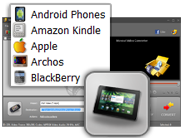
Erase boundaries between your PC and mobile devices. Save video for Apple iPad, iPod, iPhone, Nokia, HTC, BlackBerry, Samsung, Android phones, Sony PSP, Xbox, Zune, etc. We’ve added new presets for the latest models: Samsung Galaxy S III and Galaxy Note, HTC One X, Sony Xperia S, PlayStation Vita, and more.
Turn 2D movies into a 3D attraction
Convert regular movies, clips, or sports videos to cutting-edge 3D for anaglyph glasses, shutter technology, or NVIDIA 3D Vision Glasses Kit. Check the result with the instant 3D output video preview. Adjust 3D parameters for your individual perception of three-dimensional images.
Convert audio. Extract audio from video
Your player can’t playback some music and podcasts? Now it can! Get audio in the format you need: mp3, wav, wma, ogg, aac, flac, Monkey's Audio, etc.
Edit and enhance. Share video online
Enjoy built-in video editing features: split, rotate, add watermark, apply filters, enhance quality, etc. Upload to YouTube and Facebook. Create HTML pages with your movies. Create HTML-code with your movies to embed video to your blog or website. Add subtitles in popular caption formats when converting video files or ripping DVDs.
Use preview and automatic conversion
Use the Preview window to see what the output video will look like before converting. Convert videos automatically whenever you want with Watch Folder: just put files to the chosen folder on your computer, and the program will encode them right away.
Save time. Convert fast
Accelerate conversion with NVIDIA® CUDA-enabled GPU up to 8x. Make the most of your AMD/Intel multi-core CPU. Convert files with a few simple gestures on your Windows-based tablet or touch-enabled laptop using our optimized multi-touch interface. Experience 2x faster processing of Intel HW codecs with Intel's 3rd generation Intel® Core™ processors: i7, i5, and i3.
Password: www.asandownload.com


 Convert video – DVD